
AI File Notes On-Device: How LexVoda Turns Conversations into Reviewable Matter Records
LexVoda uses on-device AI to turn recorded or imported legal conversations into structured draft File Notes for lawyers to review, edit, and approve.
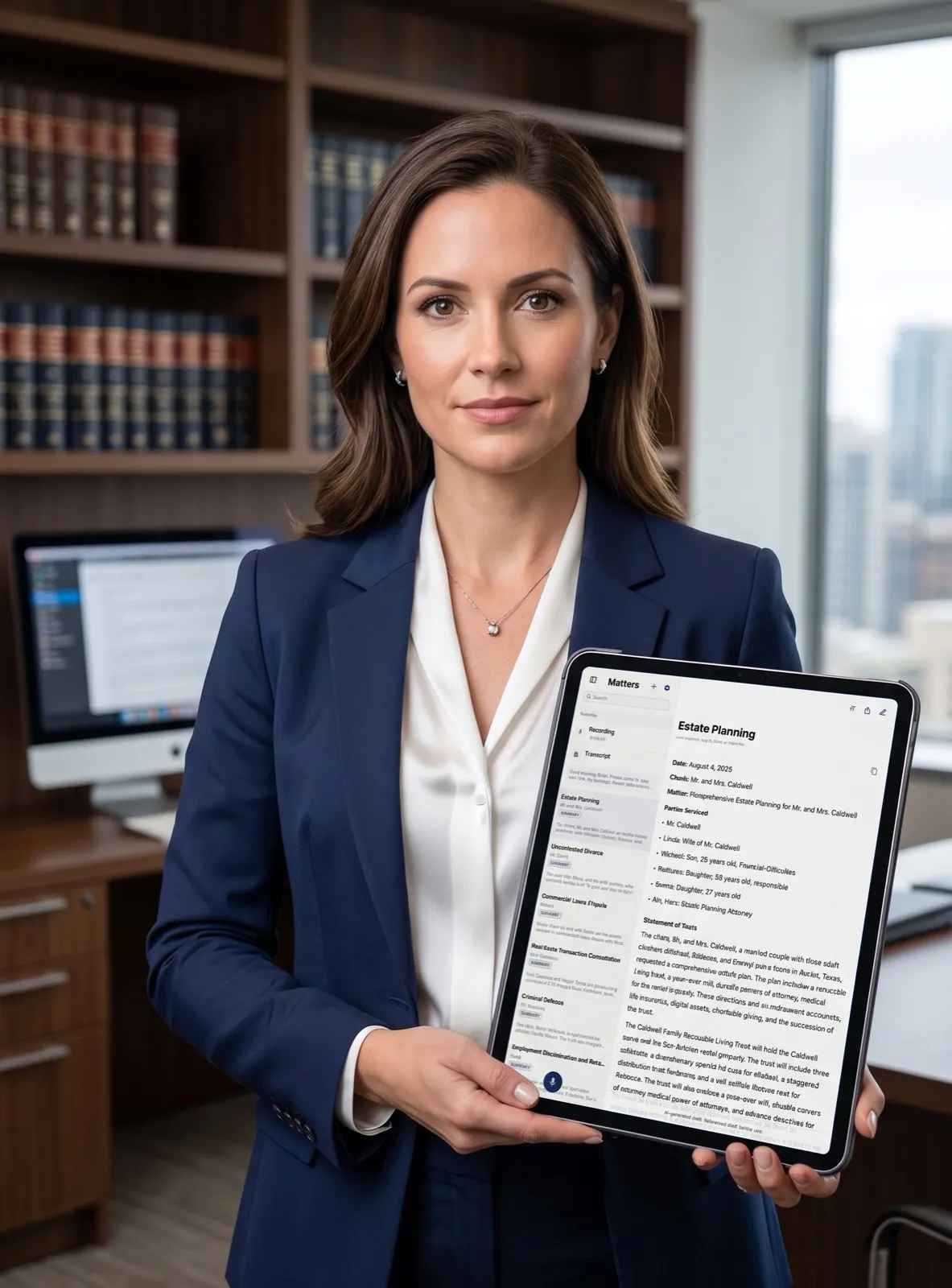
The most important output in LexVoda is not a transcript. It is an AI-generated draft legal File Note that a lawyer can review, edit, and decide whether to use as part of the matter record.
LexVoda uses on-device AI to turn recorded or imported legal conversations into structured draft File Notes on the user’s Apple device. Transcription supports that process, but the product’s value is the drafting workflow: helping a lawyer move from a conversation to a reviewable first draft without starting with a blank page or sending the core AI workload to a remote LexVoda service.
What is an AI-drafted legal File Note?
An AI-drafted legal File Note is a structured first draft created from source material such as a recorded client meeting, consultation, dictation, or imported audio. It is intended to organise the important context of a conversation into a form that a lawyer can inspect and refine.
That is different from a verbatim transcript. A transcript records words. A File Note is meant to capture the matter context around those words: who was involved, what was discussed, what instructions or decisions were made, and what may need to happen next. The exact content still depends on the conversation and must be checked against the source material.
It is also different from final legal work product. LexVoda produces an AI-generated draft File Note. It does not provide legal advice, make professional judgments, or remove the lawyer’s responsibility to review and approve the final document.
From legal conversation to draft File Note
LexVoda’s workflow puts AI drafting at the centre:
- Record or import audio: capture a conversation in LexVoda or bring in an existing recording from the device.
- Create a supporting transcript: LexVoda processes the audio on-device to provide text that can be checked against the recording.
- Draft the legal File Note: on-device AI uses the conversation and transcript to create a structured draft File Note.
- Review and edit: the lawyer checks the source material, corrects errors, adds missing context, and edits the draft for the matter.
- Approve, retain, or export: the lawyer decides whether the revised File Note is suitable for the matter and what should happen to it next.
The transcript is important because it gives the lawyer a reference point. The draft File Note is the practical output that turns that reference material into a starting point for professional work.
Why a draft File Note matters more than transcription alone
A transcript can be long, repetitive, and difficult to use as a matter record. It may contain every false start, aside, interruption, and conversational detail without distinguishing what matters for the file.
An AI-drafted File Note can provide a more useful starting structure. Depending on the conversation and the current LexVoda workflow, that structure may help organise matter details, participants, topics discussed, relevant facts, instructions, decisions, and follow-up items. It is not a substitute for a lawyer deciding what belongs in the record; it reduces the distance between the conversation and that decision.
This distinction is important when evaluating legal AI tools. Many products can transcribe speech effectively. LexVoda is built around the next step: using on-device AI to draft a legal File Note that is ready for lawyer review and editing.
Drafting happens on the Apple device
LexVoda performs its core transcription and AI-assisted File Note drafting workflow on the user’s Apple device. That means the central drafting step does not require sending the underlying client conversation to a LexVoda-operated cloud AI service for remote inference.
For lawyers evaluating AI tools for confidential work, the location of drafting matters. The question is not only whether an application can produce text. It is also whether the conversation must be uploaded to a remote service before a draft exists, and whether the lawyer has a clear choice about when information leaves the device.
LexVoda’s on-device AI architecture explains the privacy and hardware trade-offs in more detail. On-device processing can reduce exposure to remote AI inference services, but it does not eliminate every privacy or security consideration. Exports, sharing, email, backups, synchronisation, device access, and other third-party services remain relevant.
The lawyer remains in control of the File Note
An AI-generated draft is useful only when it is treated as a draft. Before relying on a File Note, the lawyer should:
- compare important statements with the recording and transcript;
- verify names, dates, amounts, instructions, and other material facts;
- check that the right people and matter context have been identified;
- remove irrelevant or sensitive material that does not belong in the record;
- add context that the AI could not reliably infer;
- correct omissions, misunderstandings, speaker errors, and awkward phrasing; and
- decide whether the final edited document is suitable for the matter.
LexVoda is designed to support that review. The AI-generated draft is not presented as an approved legal record, and local processing does not make the content automatically accurate, privileged, compliant, or legally protected.
For an example of state-bar guidance on responsible generative-AI use, see Florida Bar Ethics Opinion 24-1. It addresses lawyers’ responsibilities around confidentiality, competence, verification, and professional judgment; lawyers should separately confirm the rules that apply in their own jurisdiction.
Why this is a mobile legal workflow, not just a transcription tool
For solo and small-firm lawyers, the practical challenge is often not capturing audio. It is turning a busy client conversation into a usable matter record while the details are still fresh.
LexVoda combines recording or import, on-device AI drafting, transcript reference, review, editing, and export in one mobile legal workflow. The device performs the computational work locally, while the lawyer decides what the draft means, what needs to be corrected, and what should become part of the final file.
That combination is the product decision: mobile access, local AI drafting, and human-controlled professional review. Transcription is one step in that workflow, not the destination.
What LexVoda does not claim
LexVoda does not claim that an AI-generated File Note is automatically correct or ready to rely on without review. It does not replace legal advice, professional judgment, or the lawyer’s responsibility for the final work product.
LexVoda also does not claim that on-device processing removes every possible privacy risk. A lawyer can still choose to export or share content, use a backup or synchronisation service, send information through email, or provide material to another third party. Those services may handle the information under their own terms and privacy practices. See the LexVoda Privacy Policy for the current product boundaries.
Frequently Asked Questions
What does LexVoda produce from a legal conversation?
LexVoda produces an AI-generated draft legal File Note, supported by a transcript of the source audio. The lawyer reviews, corrects, edits, and approves the final document.
Is transcription the main value of LexVoda?
No. Transcription is supporting source material. LexVoda’s primary value is using on-device AI to draft a structured legal File Note that gives the lawyer a reviewable starting point for the matter record.
Does LexVoda generate final legal work product?
No. LexVoda generates a draft File Note. The lawyer must verify the transcript and draft, apply professional judgment, make any necessary edits, and decide whether the final document is suitable for the matter.
Does LexVoda upload client conversations for AI drafting?
LexVoda’s core transcription and AI-assisted File Note drafting features process recordings, transcripts, and draft File Notes on the user’s device rather than uploading that matter content to a LexVoda-operated cloud AI service. Content can leave the device when the lawyer chooses to export or share it, or uses email, support, backup, synchronisation, or another third-party service.
Can LexVoda work without an internet connection?
The core transcription and AI drafting workflow is designed to work without relying on a live cloud AI service once the required application and on-device models are available. Other parts of the wider product experience, including app distribution, purchases, support, sharing, backups, synchronisation, and operating-system services, may still involve connectivity or third parties.
Why does local AI drafting require capable Apple hardware?
The AI models run on the device rather than on remote infrastructure. LexVoda’s current baseline is 8 GB of device memory, and the Apple device also needs enough processing capacity, storage, and battery to handle transcription and File Note drafting locally. This is the trade-off for keeping the core AI workflow on-device.
A better starting point for legal work
LexVoda is built for the step after the conversation: the moment when a lawyer needs a clear, reviewable draft File Note rather than another wall of text.
Explore the LexVoda legal workflow, read about why LexVoda runs AI on-device, or learn more about LexVoda.