
Best AI Note Takers for Lawyers: What to Compare Before Choosing One
Compare the best AI note takers for lawyers by privacy, transcription accuracy, legal File Notes, offline processing, review tools, integrations, and workflow fit.
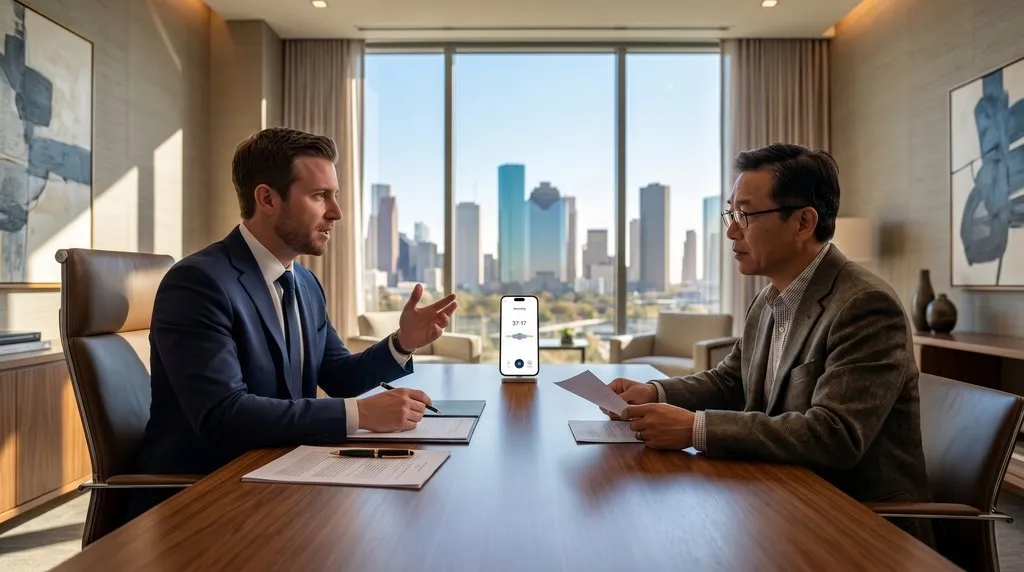
The best AI note taker for a lawyer is not the tool with the most impressive general meeting features, but the one that aligns with the lawyer’s workflow, confidentiality requirements, review process, device compatibility, accuracy expectations, and desired output.
For solo lawyers, small law firms, and practitioners across litigation, estate planning, family law, criminal defense, and commercial law, attendance notes are essential evidence of client instructions, advice, and procedural milestones. Modern speech models and language processors can now capture spoken conferences and produce notes within minutes.
However, selecting the best AI note takers for lawyers requires evaluating specific professional demands. An attendance record is an evidentiary document, not an informal corporate recap. The decision should be based on:
- Confidentiality and data handling;
- Recording and transcription quality;
- Legal terminology recognition;
- Speaker identification;
- Ability to generate useful draft File Notes;
- Lawyer review and editing tools;
- On-device or cloud processing;
- Offline capability;
- Export options;
- Device compatibility;
- Workflow integration; and
- Pricing and usage limits.
LexVoda is an example of an integrated, legal-focused solution built around a private, on-device workflow:
Recording or importing audio → on-device transcription → AI-generated draft File Note → lawyer review and editing → export or use in the lawyer’s existing workflow.
Every practice has distinct operational priorities and confidentiality standards. Evaluating legal note-taking tools requires examining what these products actually do, understanding the divide between cloud and on-device processing, and applying rigorous comparison criteria to every candidate tool.
What does an AI note taker actually do?
In legal practice, the term AI note taker encompasses products ranging from consumer meeting bots to dedicated legal drafting engines. Depending on its design, an AI note-taking tool may perform:
- Recording conversations: Capturing in-person conferences, telephone calls, or post-meeting lawyer dictation;
- Converting speech to text: Transcribing acoustic waveforms into verbatim written text;
- Identifying speakers: Segmenting dialogue and attributing statements to distinct attendees;
- Summarizing dialogue: Condensing hours of discussion into high-level discussion points;
- Extracting key details: Identifying party names, monetary amounts, critical dates, and action items;
- Generating structured notes: Sorting dialogue into predefined categorical headings;
- Creating a draft File Note: Formatting discussions into a formal, reviewable legal attendance record; and
- Exporting results: Transferring finished text and audio into firm practice management systems.
Not every product performs all of these functions. Many general meeting assistants merely record, transcribe, and output a five-bullet executive summary.
While a high-level summary may suit internal business check-ins, a lawyer requires:
- A detailed transcript;
- A structured matter note;
- Accurate legal terminology;
- A clear record of client instructions;
- Important dates and deadlines;
- Open questions and follow-up tasks; and
- A reviewable source recording.
The most important comparison criteria
When evaluating candidate software, lawyers should compare options against nineteen fundamental criteria:
| Criterion | Questions lawyers should ask |
|---|---|
| Confidentiality | Where is audio and transcript data processed? |
| Data retention | How long is data retained? Can it be deleted? |
| Model training | Is uploaded content used for training or model improvement? |
| Processing location | Does the tool use cloud AI, on-device AI, or both? |
| Offline operation | Can the tool work without an internet connection? |
| Recording | Can it record long client meetings or dictation? |
| Transcription | How accurately does it transcribe real legal conversations? |
| Legal terminology | Does it handle legal names, phrases, and terminology? |
| Speaker identification | Can it distinguish lawyers, clients, witnesses, and other speakers? |
| Summarization | Does it produce useful summaries without omitting important details? |
| Draft File Notes | Can it produce a structured, reviewable draft File Note? |
| Source access | Can the lawyer inspect the underlying transcript or recording? |
| Review and editing | Can the lawyer correct and edit the output? |
| Export | Can the result be exported in useful formats? |
| Integration | Can the output fit into the firm’s existing workflow? |
| Device support | Does it support the lawyer’s iPhone, iPad, Mac, or other device? |
| Performance | Can it handle long recordings and large transcripts? |
| Pricing | Are there subscriptions, usage limits, or per-minute charges? |
| Consent controls | Does the workflow support appropriate recording consent practices? |
Cloud AI versus on-device AI
The primary architectural distinction among legal AI tools is whether machine learning inference occurs in the cloud or locally on the device.
Cloud-based AI
Audio or text is sent to a remote service for processing. Depending on the provider, data may be transmitted, stored, retained, accessed, or processed under the provider’s terms and settings.
Some cloud AI services may use uploaded audio or transcripts for model training or improvement, depending on their terms and settings. Even when vendor terms prohibit training, transmitting privileged client audio expands external data exposure, requires vetting sub-processors, and demands a continuous internet connection.
On-device AI
The AI model runs locally on the user’s device, reducing the need to upload audio or transcripts to a remote AI service for inference. Advanced neural processors—such as Apple Silicon Neural Engines—process audio and draft text directly in device memory, keeping data within the lawyer’s physical custody.
| Question | Cloud-based AI | On-device AI |
|---|---|---|
| Internet dependency | Often required | Can support offline workflows |
| Data transmission | Audio or text may be uploaded | Processing can occur locally |
| Latency | Depends on network and service | Depends on device hardware |
| Privacy review | Requires reviewing provider terms and settings | Requires reviewing the app, device, storage, and permissions |
| Model size | Can use large remote models | Limited by device hardware |
| Usage limits | May include minutes, credits, or quotas | May support subscription-based or local usage models |
| Deployment | Centralized service | Local device processing |
On-device processing reduces external data exposure, but it does not automatically guarantee:
- Legal privilege;
- Confidentiality;
- Security;
- Regulatory compliance;
- Correct consent procedures; or
- Safe device configuration.
Lawyers must still review the app’s privacy policy, device security, passcodes, biometric locks, storage behavior, deletion controls, and applicable professional obligations. To learn how local processing establishes a private hardware perimeter, see our guide on why LexVoda runs AI entirely on-device.
Why legal terminology and transcription quality matter
General meeting transcription tools frequently struggle with legal conversations. Legal dialogue involves acoustic, structural, and linguistic nuances that consumer models misinterpret:
- Names of parties and legal entities: Complex corporate structures, family trusts, and foreign party names;
- Addresses, dates, and monetary amounts: Settlement offers, penalty interest rates, and limitation deadlines;
- Case names and statutory references: Act titles, section citations, and formal procedural filings;
- Specialized legal terms: Specialized phrases such as “voir dire” are often transcribed phonetically as “for dear” or “four deer”, obscuring critical litigation strategy;
- Similar-sounding words with opposite meanings: Confusing “lessor” with “lessee”, “indemnity” with “identity”, or “mortgagor” with “mortgagee”; and
- Acoustic challenges: Rapid exchanges, overlapping speech, regional accents, and low-fidelity conference audio.
Transcription accuracy should always be evaluated using real legal recordings rather than vendor marketing claims. To examine acoustic performance in detail, explore our guide on AI transcription accuracy and speaker identification for lawyers.
Recording and speaker identification
When choosing an AI note taker, lawyers should confirm whether the tool supports:
- Direct recording inside the application;
- Importing existing audio files from digital dictaphones or voice memo apps;
- Long-form recordings of 60 to 90 minutes without instability;
- Recording while the screen is locked or off, where supported;
- Background processing while multitasking between applications;
- Multiple speakers with acoustic speaker identification and clear labels;
- Clear audio playback synchronized with individual transcript segments;
- Deletion of audio after processing to meet firm data policies; and
- Separate handling of dictation and client meetings.
The danger of speaker confusion
Speaker misattribution carries serious evidentiary risks. An automated tool must not incorrectly attribute:
- A client’s statement to the lawyer;
- A lawyer’s advice to the client;
- A witness’s account to another witness; or
- A tentative possibility to a confirmed instruction.
Where speaker labels are uncertain, the lawyer must be able to inspect the original recording immediately.
AI summaries versus AI-generated draft File Notes
A brief executive summary is not the same as a structured legal attendance note.
| Output | Main purpose | Typical characteristics |
|---|---|---|
| Transcript | Detailed source reference | Closely follows spoken conversation. |
| AI summary | Quick understanding | Condensed overview of key points. |
| AI meeting notes | Practical meeting recap | May include topics, decisions, and tasks. |
| Draft File Note | Structured legal-workflow draft | Organizes matter details for lawyer review and editing. |
| Final work product | Lawyer-approved record or document | Must be prepared, checked, and adopted by the lawyer. |
A useful draft File Note organizes:
- Date and time;
- Attendees and professional capacities;
- Matter or client reference;
- Purpose of the meeting;
- Background context;
- Client instructions;
- Key facts and disclosures;
- Legal issues discussed;
- Advice or options discussed;
- Decisions agreed upon;
- Action items and assigned responsibilities;
- Deadlines and limitation periods;
- Follow-up questions; and
- Uncertainties requiring verification.
An AI tool should draft these categories automatically, but it cannot reliably determine legal conclusions without lawyer review. The output is strictly an assistive working draft. To explore how transcripts differ from attendance records, read our analysis of legal File Notes versus transcripts.
Should a lawyer review AI-generated notes?
Direct answer: Yes.
A lawyer must review, verify, and edit an AI-generated draft note before relying on it as a final work product.
AI models are probabilistic drafting engines. In legal workflows, unreviewed drafts can contain:
- Transcription mistakes in proper nouns, party names, and addresses;
- Incorrect names, dates, or monetary amounts;
- Missing details or omitted statutory reservations;
- Speaker attribution errors;
- Over-compressed summaries that flatten crucial nuances;
- Misinterpreted statements confusing exploratory questions with instructions;
- Incorrect emphasis giving undue weight to minor comments;
- Invented or unsupported details (hallucinations);
- Confusion between instructions, possibilities, and decisions; and
- Failure to capture uncertainty, hesitation, or non-verbal context.
Practical lawyer review checklist
Before approving an AI-generated draft File Note:
- Confirm the correct client and matter;
- Check names and contact details of all attendees;
- Verify dates and deadlines against the calendar;
- Confirm all important client instructions;
- Check monetary amounts, settlement figures, and calculations;
- Review legal terminology and statutory references;
- Check speaker attribution to ensure advice is credited to counsel;
- Compare important statements with the transcript or recording;
- Remove unsupported statements or hallucinations;
- Add missing context, non-verbal impressions, or tactical reservations;
- Distinguish facts from assumptions;
- Confirm action items and responsibility; and
- Edit the draft into the lawyer’s preferred final format.
The governing principle remains clear:
AI should accelerate drafting. The lawyer remains responsible for reviewing, verifying, editing, and deciding how the final work product is used.
For detailed analysis of professional supervisory duties, read our guide on why AI File Notes must be reviewed by a lawyer.
LexVoda as an example of an integrated legal workflow
LexVoda illustrates how specialized software approaches legal note-taking through a unified on-device pipeline:
- Record: Capture a client meeting or lawyer dictation directly inside the app;
- Import: Bring in an existing audio file from Voice Memos or digital recorders;
- On-device transcription: Transcribe speech to text locally on Apple Silicon hardware;
- AI-generated draft File Note: Structure dialogue into standard legal matter sections;
- Review: Inspect the transcript alongside synchronized audio playback;
- Edit: Correct, verify, and edit the draft within an active editing canvas; and
- Export: Export the reviewed result as RTF, PDF, or TXT, with optional M4A audio.
Confirmed product specifications
- Device support: Supported iPhone, iPad, and Apple silicon Mac devices;
- Operating system: iOS 18.2+, iPadOS 18.2+, and macOS on supported Apple silicon hardware;
- Memory requirements: 8 GB or more of unified memory for on-device inference;
- Offline operation: Speech-to-text transcription and note drafting function without internet access;
- Recording capabilities: Supports long-form recording, background transcription, and screen-off or locked-screen recording;
- Data governance: Encrypted local database storage, optional App Lock, and audio deletion controls; and
- Universal exports: Clean RTF for Microsoft Word, locked PDF for matter archives, and TXT for matter timelines.
LexVoda was engineered around this standard:
LexVoda creates a draft to accelerate the lawyer’s work. The lawyer must review and edit the draft before using it as a final work product.
Manual notes versus general AI note takers versus legal-focused tools
To choose the right approach, lawyers should assess the trade-offs across common options:
| Approach | Strengths | Limitations |
|---|---|---|
| Manual note-taking | Direct control and no AI processing. | Time-consuming and may distract from the conversation. |
| General cloud AI note taker | Convenient summaries and collaboration features. | May require uploading confidential content and may not produce legal-specific File Notes. |
| General transcription app | Useful source transcript. | May require separate summarization and File Note preparation. |
| Legal-focused cloud AI tool | May provide legal workflows and structured outputs. | Requires careful review of data handling, retention, training, and integrations. |
| On-device legal AI workflow | Local processing, offline potential, integrated recording and drafting. | Device hardware may limit model size and performance; lawyer review remains necessary. |
Privacy, confidentiality, consent, and professional obligations
Deploying automated note-taking tools requires strict adherence to ethical and legal requirements:
Lawful recording and party consent
Lawyers must confirm whether recording is lawful under relevant wiretapping and surveillance legislation:
- All-party consent: In jurisdictions such as California, Florida, or Pennsylvania, all participants must explicitly consent to recording;
- One-party consent: Under US federal law and many state statutes, one party may consent, though professional conduct standards often favor transparent disclosure; and
- Commonwealth legislation: In the UK and Australian states, statutory surveillance devices acts restrict recording private conversations without consent.
Best practice is to obtain explicit, documented client consent at the start of every recorded conference.
Professional conduct rules
Authoritative legal regulators emphasize that automated tools cannot dilute professional duties:
- In the United States, the American Bar Association Formal Opinion 512 on Generative Artificial Intelligence Tools establishes that lawyers using generative AI maintain non-delegable duties of competence, confidentiality, and supervisory review;
- In Australia, the Queensland Law Society Guidance Statement No. 40 on File Notes reminds solicitors that attendance records serve as primary evidence and must be personally verified by the attending practitioner; and
- In the United Kingdom, the Solicitors Regulation Authority guidance on artificial intelligence in legal practice emphasizes that solicitors remain personally accountable for client confidentiality, privilege, and matter records.
How to test an AI note taker before adopting it
Lawyers should test software using representative, appropriately authorized test material before deploying it on active client files:
Recommended test scenarios
- A short client consultation;
- A longer meeting;
- Multiple speakers with background noise;
- Diverse accents;
- Specialized legal terminology;
- Critical dates and monetary numbers;
- Names of people and legal organizations;
- A post-meeting dictation workflow;
- A meeting with interruptions and overlapping dialogue; and
- A conversation containing uncertainty or conditional language.
Caution: Do not upload real confidential client information into a trial product unless you have first assessed whether doing so is appropriate and authorized under applicable confidentiality rules.
Evaluation scorecard
Evaluate candidate products across twelve practical factors:
- Transcript quality: Error rates on proper nouns, citations, and legal terminology;
- Speaker identification: Separation accuracy between counsel, client, and witnesses;
- Draft File Note usefulness: Generation of structured legal sections rather than generic recaps;
- Missing information: Omission of critical reservations or instructions;
- Hallucinations: Invented facts, dates, or citations;
- Editing experience: Ease of correcting text in an active editing canvas;
- Audio playback: Direct access to synchronized audio from transcript lines;
- Processing time: Speed from recording completion to finished draft;
- Offline behavior: Functional performance with network connections disabled;
- Data deletion: Verification that audio and text can be permanently erased;
- Export quality: Clean import of RTF, PDF, and TXT files into firm software; and
- Device battery and memory impact: Thermal performance and memory usage during processing.
Pricing and subscription questions
When comparing software costs, lawyers should look beyond headline subscription rates to assess total cost of ownership:
- Free trial duration: Availability of full-featured testing periods;
- Monthly versus annual pricing: Discount structures and long-term commitments;
- Audio-minute limits: Per-minute transcription caps or charges for long meetings;
- Transcription quotas: Monthly limits on total audio processing;
- AI credit systems: Token charges that penalize iterative note re-drafts;
- Per-user pricing: Seat licenses versus flexible firm-wide deployment;
- Firm-wide pricing: Volume licensing models for multiple fee-earners;
- Storage costs: Extra fees for archiving audio and transcripts;
- Export restrictions: Restrictions on exporting standard PDF, RTF, or TXT formats;
- Cancellation terms: Whether data can be exported or purged upon cancellation;
- Data deletion after cancellation: Guaranteed deletion of hosted records; and
- On-device economics: Local processing avoids cloud server costs, enabling flat-rate subscriptions without per-minute penalties.
Frequently asked questions (FAQ)
What is an AI note taker for lawyers?
An AI note taker for lawyers is software that records or imports legal conversations, transcribes audio, and uses language models to generate structured draft attendance records and File Notes for lawyer review.
Are AI note takers safe for confidential legal meetings?
Safety depends on architecture. Cloud tools transmit audio to remote servers, requiring scrutiny of vendor retention and training terms. On-device tools process data locally on the user’s hardware, avoiding cloud uploads.
Should lawyers use cloud-based or on-device AI?
Lawyers handling confidential or privileged matters often prefer on-device AI to avoid third-party data transmission and work offline. Firms requiring multi-user cloud collaboration may choose cloud AI if vendor terms satisfy professional standards.
Can AI note takers create legal File Notes?
Yes. Legal-focused tools can structure spoken discussions into draft File Notes organizing background, instructions, advice, decisions, and deadlines. The output is an assistive draft that requires lawyer review.
Is an AI-generated File Note a final legal record?
No. An AI-generated draft File Note is an assistive working document. It cannot serve as a final legal record until it has been reviewed, verified, edited, and adopted by the lawyer.
How accurate is AI transcription for legal conversations?
Modern speech engines handle clear speech well, but accuracy degrades with background noise, interruptions, accents, and specialized legal terminology like voir dire. Verification against original audio remains necessary.
Can AI note takers identify different speakers?
Many tools include acoustic speaker diarization to separate voices. However, automated attribution can make errors, requiring practitioners to verify that advice and instructions are attributed correctly.
Can an AI note taker work offline?
Most cloud AI tools require an active internet connection. Dedicated on-device applications—such as LexVoda on supported Apple Silicon devices—run transcription and drafting locally without internet access.
What should lawyers check before recording a client meeting?
Lawyers must confirm whether recording is lawful in their jurisdiction (one-party or all-party consent rules), obtain informed client consent, and ensure compliance with professional confidentiality obligations.
Why should lawyers review AI-generated notes?
AI models can hallucinate details, misstate monetary figures, misspell names, scramble event sequences, or misattribute statements. The lawyer remains personally responsible for the accuracy of matter records.
What is the difference between a transcript and a File Note?
A transcript is a chronological, verbatim record of spoken dialogue. A File Note is a structured legal document that organizes discussions into client instructions, legal advice, factual background, and action items.
What should lawyers test before choosing an AI note-taking tool?
Lawyers should test transcription accuracy on legal terminology, speaker separation, draft note structure, offline behavior, export options, data deletion, and hardware impact using representative, non-confidential sample audio.
Conclusion: Balancing automation with professional judgment
Selecting the best AI note takers for lawyers requires choosing software that meets the non-negotiable standards of legal practice: client confidentiality, accurate transcription, structured draft File Notes, and transparent lawyer verification.
General-purpose meeting tools offer quick summaries, but they raise cloud privacy concerns and lack legal structure. On-device workflows bridge this gap by automating transcription and first-draft structuring on local hardware while keeping the practitioner in control of the final work product.
By pairing automated drafting with rigorous human review, lawyers can eliminate administrative drafting burdens while protecting client confidences and professional standards.