
How to Choose an AI Transcription Tool for Lawyers
Learn how to choose an AI transcription tool for lawyers, including legal accuracy, long-form recording, privacy, on-device AI, legal terminology and File Note workflows.
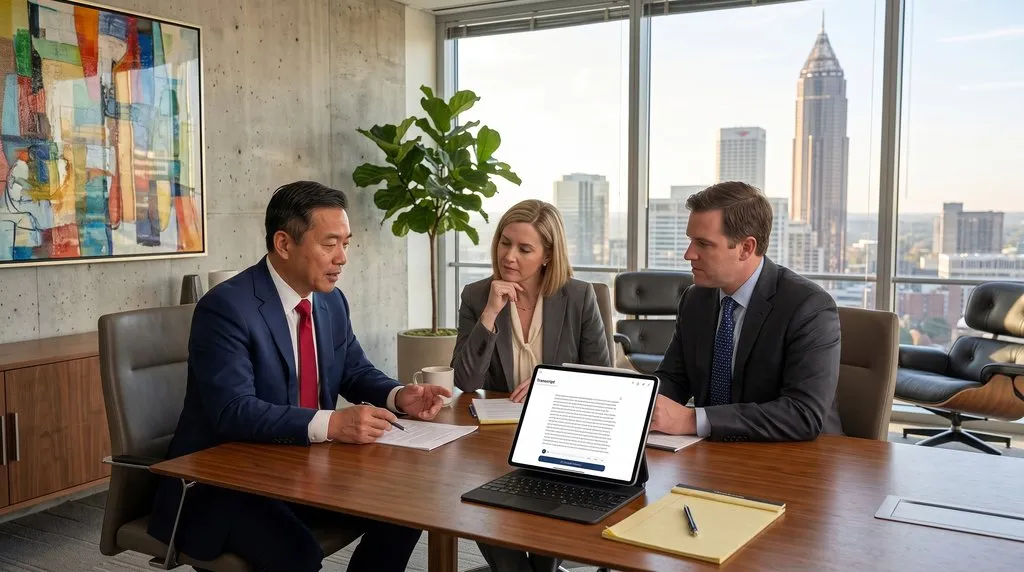
Every lawyer recognizes the administrative bottleneck following a client conference. A practitioner completes a 30-, 60-, or 90-minute meeting with an audio recording, brief notes, or mental recollections that must urgently become structured matter documentation.
Manual transcription drains billable time: listening, pausing, typing, and rewinding can turn a one-hour meeting into three hours of typing. Generic transcription apps are equally unsuitable. While consumer speech-to-text tools handle casual conversations, legal consultations involve dense legal terminology, multiple speakers, precise dates and amounts, confidential instructions, and the necessity of converting spoken dialogue into formal attendance records.
To solve this challenge, lawyers need software engineered specifically for legal practice. LexVoda is specialized for legal audio recording and transcription. Rather than functioning as a generic meeting recorder with a legal interface, LexVoda is designed around the complete legal matter-capture workflow:
Legal audio recording → on-device AI transcription → legal-optimized transcript → AI-generated draft File Note → lawyer review/edit → export
Available on iPhone, iPad, and MacBook, LexVoda captures long-form legal audio, continues recording when the screen is locked or turned off, performs on-device AI transcription in the background while recording continues, utilizes the state-of-the-art Qwen3.5 ASR model tuned for legal vocabulary, generates an AI-created draft File Note from the transcript, and allows the lawyer to review, edit, and export the resulting work product.
What Makes Legal Audio Recording Different?
Recording audio in legal practice differs fundamentally from corporate meeting recording. In business settings, a dropped word or cloud upload rarely creates professional exposure. In legal practice, recorded discussions engage professional ethics, statutory surveillance rules, and legal professional privilege.
Lawyers routinely record conversations across critical matter contexts:
- Client consultations and initial interviews: Gathering facts, assessing credibility, and recording retainer instructions.
- Estate-planning conferences: Documenting testamentary capacity, family structures, and specific bequests.
- Family-law consultations: Capturing sensitive financial disclosures and parenting arrangements.
- Commercial discussions: Parsing representations, warranties, indemnities, and conditional deal terms.
- Witness interviews: Recording factual recollections and deposition statements where speaker attribution must remain exact.
- Internal legal meetings and dictation: Formulating litigation strategy or dictating an attendance note immediately after court.
Because these recordings contain confidential, sensitive, and privileged matter information, an AI transcription tool for lawyers must prioritize reliability, reviewability, privacy, and seamless legal matter integration.
What Should Lawyers Look for in an AI Transcription Tool?
When evaluating an AI transcription tool for lawyers, assess software against 15 core criteria:
- Transcription accuracy across fast-paced legal discourse and varied accents.
- Legal terminology recognition for procedural, statutory, and Latin phrasing.
- Speaker identification to separate lawyers, clients, witnesses, and opposing counsel.
- Long-form recording stability across 30-, 60-, or 90-minute conferences.
- Recording reliability with crash resilience and local storage integrity.
- Recording with screen locked/off to conserve device battery and eliminate table glare.
- Background transcription that processes speech concurrently while recording continues.
- Where AI processing occurs, separating local silicon execution from cloud transit.
- Offline capability for courtrooms, detention facilities, and transit.
- Privacy and data handling, eliminating vendor model training and third-party custody.
- Audio/transcript review and editing: A good transcription app should provide convenient tools to edit the transcript; LexVoda has a well-designed in-app transcript editor paired with synchronized audio playback.
- File Note generation structuring transcripts into formal draft attendance notes.
- Export in open formats (RTF, PDF, TXT, M4A) for legal practice management systems.
- Device support across desktop and mobile hardware (iPhone, iPad, MacBook).
- Pricing transparency without punitive per-minute surcharges.
1. Transcription Accuracy for Legal Conversations
Generic transcription demos often showcase accuracy reading scripted prose in quiet rooms. Legal conferences present a tougher test: fast exchanges, overlapping dialogue, ambient noise, regional accents, and dense factual specifics.
Legal accuracy requires precision across critical data:
- Parties and entities: Exact names of corporations, trusts, and individuals.
- Dates and limitation periods: Hearing dates, statutory deadlines, and transaction timelines.
- Monetary amounts: Settlement figures, damages, and transaction sums.
- Addresses and property identifiers: Real property titles and registered addresses.
- Statutes and case citations: Acts, regulations, section numbers, and authorities.
In general correspondence, a minor transcription error is an inconvenience. In legal documentation, transcribing “$1,500,000” as “$150,000” or mishearing “indemnity” as “identity” materially alters legal rights.
Lawyers should evaluate transcription tools using legal conversations, not generic product demos.
2. Is the Transcription Optimized for Legal Terminology?
Generic speech-to-text models are trained on consumer media, causing them to stumble over specialized legal vocabulary.
LexVoda is specialized for legal audio recording and transcription, incorporating vocabulary optimization designed specifically for legal discourse:
| Legal Term | Common Generic Error | Legal-Optimized Recognition |
|---|---|---|
| voir dire | “for dear”, “voy deer” | voir dire |
| subpoena | “supina”, “sub pena” | subpoena |
| affidavit | “after david” | affidavit |
| indemnity | “identity” | indemnity |
| interlocutory | “inter locker tree” | interlocutory |
| fiduciary | “fit you share y” | fiduciary |
| testamentary | “test a mentor y” | testamentary |
| conveyancing | “conveying thing” | conveyancing |
| discovery | General noun usage | Procedural context |
| deposition | “decomposition” | deposition |
| privilege | Generic privilege | legal professional privilege |
| jurisdiction | “jury diction” | jurisdiction |
Terms such as voir dire, subpoena, or interlocutory represent essential legal concepts. LexVoda’s legal optimization captures domain-specific terminology accurately on the first pass, minimizing manual editing.
3. Speaker Identification Matters
Legal consultations involve distinct voices: lawyer versus client, interviewer versus witness, multiple executors, or opposing counsel.
Incorrect speaker attribution can compromise a matter. If an AI tool attributes a client’s factual admission to the advising lawyer, or misattributes legal advice to the client, the evidentiary record is distorted.
LexVoda incorporates speaker diarization to separate conversational turns and pairs text with synchronized audio playback. Practitioners can tap any line in the transcript to listen to the original recording and confirm who spoke. Because automated speaker identification in any software is an assistive tool rather than an infallible authority, direct audio review ensures professional confidence. A good transcription app should provide convenient tools to edit the transcript, and LexVoda has a well-designed in-app transcript editor that allows lawyers to refine wording, correct specialized proper nouns, and adjust speaker tags directly alongside the audio timeline.
4. Long-Form Legal Audio Recording
Many consumer recording utilities are optimized for short voice memos. When subjected to extended sessions, they often deplete memory, overheat devices, or drop audio buffers.
Legal consultations are inherently long-form: 30-minute initial interviews, 60-minute estate-planning conferences, or 90-minute witness examinations. LexVoda is engineered specifically for long-form legal audio recording on iPhone, iPad, and MacBook, maintaining robust memory buffers, preventing session drops, and preserving uncompressed local audio alongside the transcript.
5. Recording When the Screen Is Locked or Off
Keeping a mobile screen illuminated throughout an hour-long client consultation drains battery and creates distracting glare on the conference table.
LexVoda continues audio recording reliably when your device screen is locked or turned off. You can initiate recording on your iPhone, iPad, or MacBook, lock the display, place the device on the desk, and focus entirely on the client.
Ethical reminder: Recording with the screen locked or off is an ergonomic and battery-saving utility, not a covert surveillance mechanism. Lawyers must always comply with applicable recording and consent laws in their jurisdiction before recording client conferences.
6. Transcription Can Happen While You Are Still Recording
With conventional transcription setups, the lawyer must finish recording, wait for an audio upload to complete, and then wait in a server queue for transcription to begin.
LexVoda introduces a more efficient workflow through concurrent background transcription:
Recording starts → audio is captured → transcription processes in the background → recording continues → recording ends → transcription is ready or substantially complete
Because on-device AI transcribes audio chunks in the background while the meeting is underway, the complete transcript is available or substantially complete the moment the meeting ends. The practitioner avoids unproductive delays and can immediately review an AI-generated draft File Note while discussions remain fresh.
7. Qwen3.5 ASR: The AI Behind LexVoda’s Transcription
LexVoda utilizes Qwen3.5 ASR, an advanced state-of-the-art speech recognition foundation model engineered for modern speech-to-text processing.
Evaluating model architecture matters for legal practitioners:
- Modern speech recognition: Qwen3.5 ASR delivers low word-error rates across conversational cadences, varied accents, and ambient noise.
- Long-form speech capability: The model maintains temporal stability during extended 30-, 60-, and 90-minute consultations without hallucination loops or attention drift during silences.
- Efficient on-device inference: Optimized for Apple Silicon (M-series and A-series chips), Qwen3.5 ASR enables desktop-grade local transcription without overheating mobile hardware.
- Part of an integrated legal system: Qwen3.5 ASR operates within LexVoda’s broader legal transcription pipeline, feeding directly into legal vocabulary corrections and structured draft File Note creation.
8. Cloud AI vs On-Device AI Transcription
The architectural difference between cloud transcription and on-device AI defines where client information travels:
Cloud Transcription
Audio is transmitted across the internet to remote servers. When using cloud tools, lawyers must examine: Where is audio processed? Does the vendor use third-party subprocessors? Is customer audio retained on remote servers? Is data used to train foundational AI models? Who has administrative access?
LexVoda’s On-Device Approach
LexVoda performs AI transcription directly on your Apple hardware. As detailed in our guide on why LexVoda runs AI entirely on-device, local processing ensures:
- Audio recordings do not need to be transmitted to an external cloud AI service for transcription;
- Speech recognition functions completely offline without internet connectivity;
- Confidential client voice data remains physically confined to your device;
- Your firm avoids dependence on third-party cloud infrastructure.
Cloud AI is not automatically unsafe, nor does on-device AI guarantee compliance on its own. However, on-device processing materially reduces external transmission of sensitive audio, making it especially relevant for lawyers handling confidential matter data.
9. What About Privacy and Confidential Client Audio?
Lawyers have an affirmative duty to safeguard client confidentiality. When evaluating AI transcription tools, firms must assess data retention, subprocessor chains, and model training terms. Many consumer platforms reserve rights to use uploaded audio to train future models, potentially exposing confidential matter disclosures.
Ethical bodies emphasize this duty. For example, the Law Society of South Australia’s Artificial Intelligence Guidance highlights the necessity of understanding third-party data custody and vendor policies when evaluating legal AI tools.
LexVoda’s on-device architecture ensures client voice recordings and transcripts remain under the lawyer’s physical custody during transcription and drafting, eliminating external vendor data retention risks.
10. Manual Transcription vs LexVoda
Comparing manual transcription to LexVoda highlights the operational efficiency of an integrated legal workflow:
- Manual Workflow: Record → listen → pause → type → rewind → correct → format → create File Note (2–3 hours).
- LexVoda Workflow: Record → on-device AI transcription → review → AI draft File Note → edit → export (under 10 minutes).
| Task | Manual Transcription | LexVoda |
|---|---|---|
| Legal audio recording | Yes | Yes |
| Long-form recording | Manual workflow | Designed for long-form recording |
| Transcription | Manual | On-device AI |
| Background transcription | No | Yes |
| Recording with screen locked/off | Depends on recording setup | Yes |
| Legal terminology | Depends on lawyer | Legal-specialized transcription |
| Internet required for AI transcription | N/A | No |
| Transcript | Manually created | AI-generated |
| Draft File Note | Manual | AI-generated draft |
| Lawyer review | Yes | Required |
| Export | Manual | Integrated workflow |
LexVoda does not simply automate typing. It connects legal audio recording, transcription and matter documentation into one workflow.
11. LexVoda vs Popular Transcription Tools
Lawyers evaluating transcription software frequently encounter popular business tools such as Otter.ai, Fireflies.ai, and Rev. While effective for general corporate meetings, these tools are built for general business environments rather than legal matter documentation.
Understanding how AI legal meeting transcription requires domain-specific engineering clarifies the differences:
- Otter.ai: Cloud-based meeting recorder focused on video conferences (Zoom, Teams, Meet). It transcribes via remote servers to generate corporate action items, lacking legal vocabulary optimization and structured legal File Note templates.
- Fireflies.ai: Cloud-based meeting bot designed to join online video calls. It requires continuous internet access and produces sales metrics rather than formal attendance records.
- Rev: Well-established cloud transcription platform offering automated speech-to-text. While accurate for general dictation, it operates via server upload as a raw transcript utility without on-device execution or File Note drafting.
| Feature | Otter.ai | Fireflies.ai | Rev (Automated) | LexVoda |
|---|---|---|---|---|
| Primary Focus | Corporate meetings | Virtual meeting bot | Speech-to-text | Legal audio & File Notes |
| Inference Location | Cloud servers | Cloud servers | Cloud servers | Local on-device (Apple Silicon) |
| Offline Operation | No (requires internet) | No (cloud bot) | No (requires upload) | Yes (100% offline) |
| Device Support | iOS, Android, Web | Web / Cloud Bots | iOS, Android, Web | iPhone, iPad, MacBook |
| Screen-Locked Audio | Yes (mobile app) | Limited / Web | Yes (voice app) | Yes (low-power audio) |
| Background Transcription | Cloud streaming | Post-meeting cloud | Post-upload cloud | Local background stream |
| Legal Terminology | General business | General business | General business | Legal-optimized vocabulary |
| Transcript Editing | Web editor | Web dashboard | Web editor | Well-designed in-app editor |
| File Note Generation | Corporate tasks | Sales summaries | Raw transcript only | AI-generated draft File Note |
| Export Formats | TXT, DOCX, PDF (tiers) | TXT, DOCX, CSV | TXT, DOCX, SRT | RTF, PDF, TXT, M4A |
Note: Competitor features reflect publicly available information and may vary across subscription tiers.
12. LexVoda Is More Than a Transcription Tool
LexVoda combines four integrated capabilities:
- Legal audio recording: High-fidelity, long-form capture on iPhone, iPad, and MacBook with screen-locked operation.
- Legal AI transcription: On-device speech recognition via Qwen3.5 ASR, optimized for legal vocabulary and processed concurrently in the background.
- AI File Note drafting: Automated structuring of transcripts into an AI-generated draft File Note categorized into Matter, Attendees, Facts, Instructions, Advice, and Action Items.
- Review and export: An active editing canvas allowing practitioners to verify notes against synchronized audio and export in universal formats (RTF, PDF, TXT, M4A). A good transcription app should provide convenient tools to edit the transcript; LexVoda includes a well-designed in-app transcript editor that allows immediate text corrections, speaker tag adjustments, and inline refinements before matter documentation is exported.
As detailed in our guide on exporting into practice management software, these standard formats integrate directly into systems like Clio, LEAP, Smokeball, and NetDocuments.
LexVoda creates a draft to accelerate the lawyer’s work. The lawyer must review and edit the draft before using it as a final work product.
Why a Legal Audio Workflow Is Better Than a Generic Meeting Transcription Workflow
A generic transcription tool addresses only one step: speech → text. The resulting output is an unstructured block of conversational text that still requires hours of manual summarizing.
LexVoda solves the complete legal problem: legal conversation → reliable recording → legal transcription → legal matter documentation.
The real efficiency gain is eliminating the administrative friction between finishing a client consultation and filing an accurate, verified attendance note.
How to Test an AI Transcription Tool Before Using It for Legal Work
Before selecting transcription software for your practice, apply this practical nine-point test:
- Test 1 — Long-form recording: Record a 45–60 minute conversation to verify recording stability without session drops.
- Test 2 — Multiple speakers: Check whether speaker attribution accurately separates participants.
- Test 3 — Legal terminology: Test complex terms (voir dire, affidavit, subpoena, indemnity).
- Test 4 — Names, dates and amounts: Verify precision across specific dollar figures and statutory citations.
- Test 5 — Background noise: Evaluate accuracy under real-world office and air conditioning noise.
- Test 6 — Locked/off screen: Verify that recording continues smoothly with the mobile display off.
- Test 7 — Background transcription: Check whether speech is transcribed concurrently during recording.
- Test 8 — Offline operation: Turn off network connections and test whether transcription executes locally.
- Test 9 — Complete legal workflow: Measure total time required from finished meeting to an export-ready File Note.
How to Choose the Right AI Transcription Tool for Your Practice
Select the software that aligns with your practice requirements:
- Choose a generic transcription service if: You only need casual internal meeting notes and never handle confidential client conversations or formal attendance records.
- Consider a cloud legal transcription solution if: You require distributed server compute for multi-week court video archives and your firm’s security agreements permit cloud processing.
- Consider LexVoda if: You want a tool specialized for legal audio recording and transcription across iPhone, iPad, and MacBook; need reliable long-form and screen-locked recording; require background on-device transcription via Qwen3.5 ASR; prioritize confidentiality with offline processing; and want an integrated pipeline that generates an AI-generated draft File Note ready for lawyer review and export.
Why LexVoda Is Built for Lawyers
LexVoda is specialized for legal audio recording and transcription, not merely adapted from a generic meeting-notes product.
It unites long-form Apple hardware capture, screen-locked recording, background processing, Qwen3.5 ASR, legal vocabulary optimization, local on-device privacy, synchronized audio-to-text review, and structured draft File Note generation in a unified application.
Professional standards require diligence. Regulatory authorities, including the Queensland Law Society Guidance Statement No. 40 on File Notes and the Federal Court of Australia Practice Notes, make clear that practitioners remain personally accountable for verifying AI-assisted legal documentation. As discussed in our analysis of why AI-generated file notes still need lawyer review, technology accelerates drafting, but professional judgment ensures the integrity of the matter record.
Frequently Asked Questions
What is the best AI transcription tool for lawyers?
The best tool is specialized for legal conversations rather than generic meetings. It must handle legal vocabulary, long-form client conferences, and strict confidentiality while connecting transcripts directly to matter documentation. LexVoda provides legal-focused audio capture, local on-device transcription via Qwen3.5 ASR on Apple devices, and automated draft File Note creation.
What makes LexVoda different from a generic transcription tool?
Generic tools convert speech to text on cloud servers using general business models. LexVoda is specialized for legal audio recording and transcription: it runs entirely on-device across iPhone, iPad, and MacBook, records with the screen locked or off, transcribes concurrently in the background using Qwen3.5 ASR, recognizes legal terminology, includes a well-designed in-app transcript editor, and automatically generates an AI-generated draft File Note for lawyer review.
Can LexVoda record long client meetings?
Yes. LexVoda is engineered for long-form legal audio recording, reliably handling continuous 30-, 60-, and 90-minute client meetings, estate-planning conferences, and witness interviews without session timeouts or audio buffer loss.
Can LexVoda record when the screen is locked or off?
Yes. LexVoda supports background audio capture while your device display is locked or turned off, conserving battery and eliminating distractions. Lawyers must always comply with applicable recording consent and surveillance laws.
Can LexVoda transcribe while recording?
Yes. LexVoda performs on-device background transcription while recording continues. As speech is captured, local AI processes audio chunks on Apple Silicon, ensuring the transcript is ready or substantially complete when the consultation concludes.
Does LexVoda work offline?
Yes. LexVoda executes transcription locally on Apple Silicon without requiring internet connectivity, allowing full operation in courtrooms, detention facilities, airplanes, and remote locations.
What AI model does LexVoda use for transcription?
LexVoda utilizes Qwen3.5 ASR, a state-of-the-art speech recognition foundation model. Optimized for Apple Silicon via native machine learning libraries, it delivers high accuracy across multi-speaker legal dialogue, regional accents, and technical terminology.
Is LexVoda optimized for legal terminology?
Yes. LexVoda’s transcription pipeline is optimized specifically for legal vocabulary, accurately recognizing complex phrases such as voir dire, subpoena, affidavit, interlocutory, fiduciary, and indemnity.
Is AI transcription safe for confidential client meetings?
AI transcription is safe when the architecture safeguards confidentiality. Cloud tools that transmit audio to external servers or retain data for AI training introduce regulatory and privilege risks. LexVoda performs AI transcription locally on your Apple device, ensuring client audio is not sent to external cloud servers for processing.
Can LexVoda create a File Note from a transcript?
Yes. LexVoda converts legal transcripts into an AI-generated draft File Note categorized into standard legal matter sections. LexVoda creates a draft to accelerate the lawyer’s work. The lawyer must review and edit the draft before using it as a final work product.
This article is for general informational purposes only and does not constitute legal, privacy, professional-conduct or technology advice. Lawyers should assess the requirements that apply to their own jurisdiction, practice and client matters.